
Guest list and invitations
How to invite guests and manage who joins
Build your guest list, review requests and decide when guests can begin joining your wedding space.
You can prepare everything privately before invitations are sent.
01
Build your guest list
Choose the approach that works best for you. Add guests yourself or let them provide their own details.
Add guests directly
Enter guest details yourself when you already know who you want to invite.
Administrator access
Give a guest administrator access when adding them, or later from their profile if you want help managing the wedding.
Let guests provide their details
Share the Quick Invite link and their submission will appear in your Pending list for review.
What guests provide
First name, last name, email and plus-one details where relevant.
Plus-one details
A plus-one email can be added straight away or later in the JoinOurDay app.


02
Review guests and prepare privately
Guests who submit the Quick Invite form appear in your Pending list. Review each request and choose whether to accept or decline it.
Accept
Adds the person to your guest list. They still do not have access to your wedding.
Decline
Removes the request without adding them.

03
Invite guests to join
Is your wedding space ready for guests? Perfect. When you choose Send Invitations, JoinOurDay sends an invitation email to each guest using the email address saved in their details. That email gives them everything they need to join your wedding space.
Use the personal invitation link
Guests can open their invitation email and use their personal invitation link to join your wedding directly.
Use the wedding code
The invitation email also includes the wedding code. Guests enter it in JoinOurDay, use the same email address that received the invitation and confirm the one-time verification code sent to that email.
04
Track and manage access
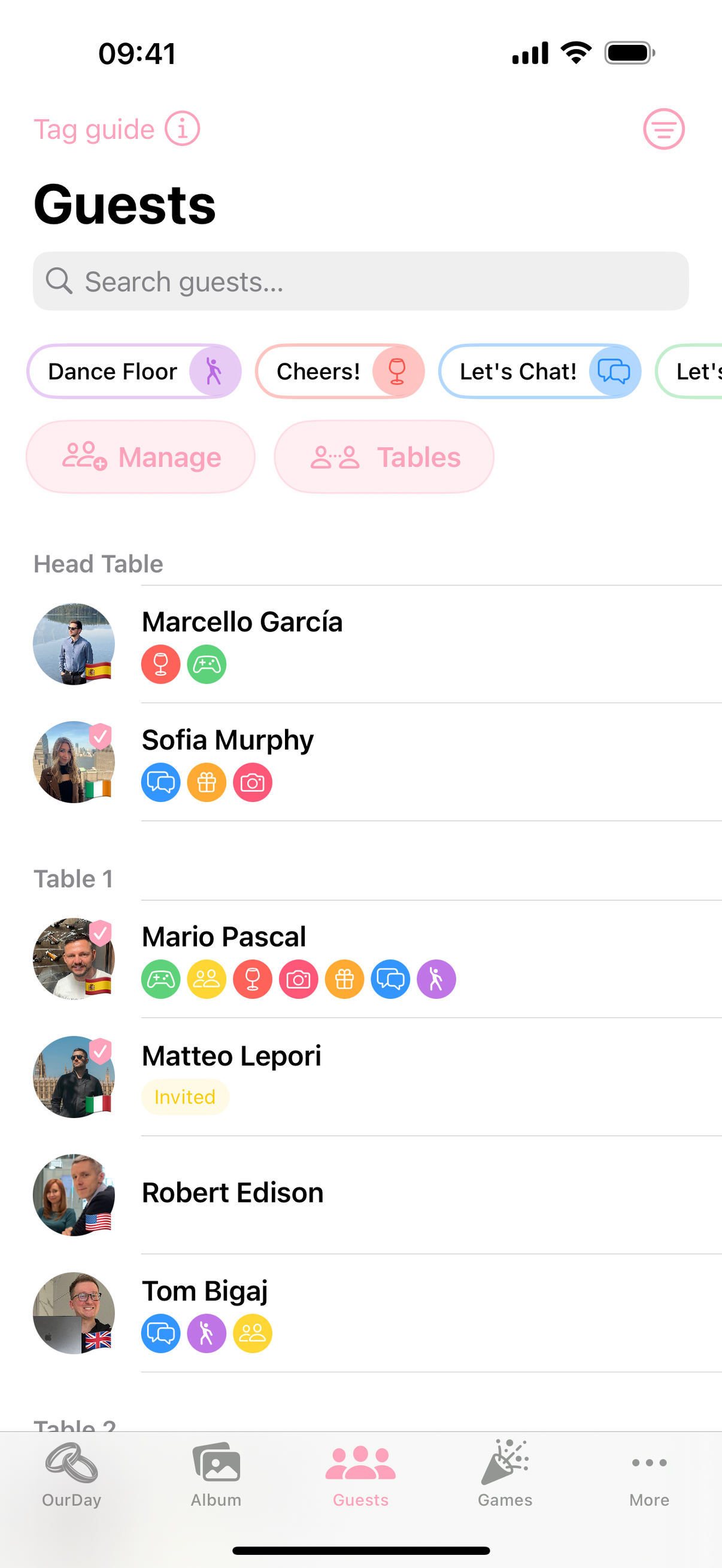
Check the guest list to see who has been added, invited and has already joined your wedding space.
Invitation not sentInvitedAccepted
Resend an invitation
Resend an invitation when someone missed the original email or did not complete the joining process.
Add more guests later
After invitations are activated, newly added guests with email addresses are invited automatically. Quick Invite requests are invited once you accept them.