
WEDDING BOARD
Keep guest questions and conversations in one place.
Give guests a place to ask questions, share lifts and make plans together. Replies stay under each post, so everyone who joined your wedding can find the answers.
Included with Premium Free for guests Private to your wedding
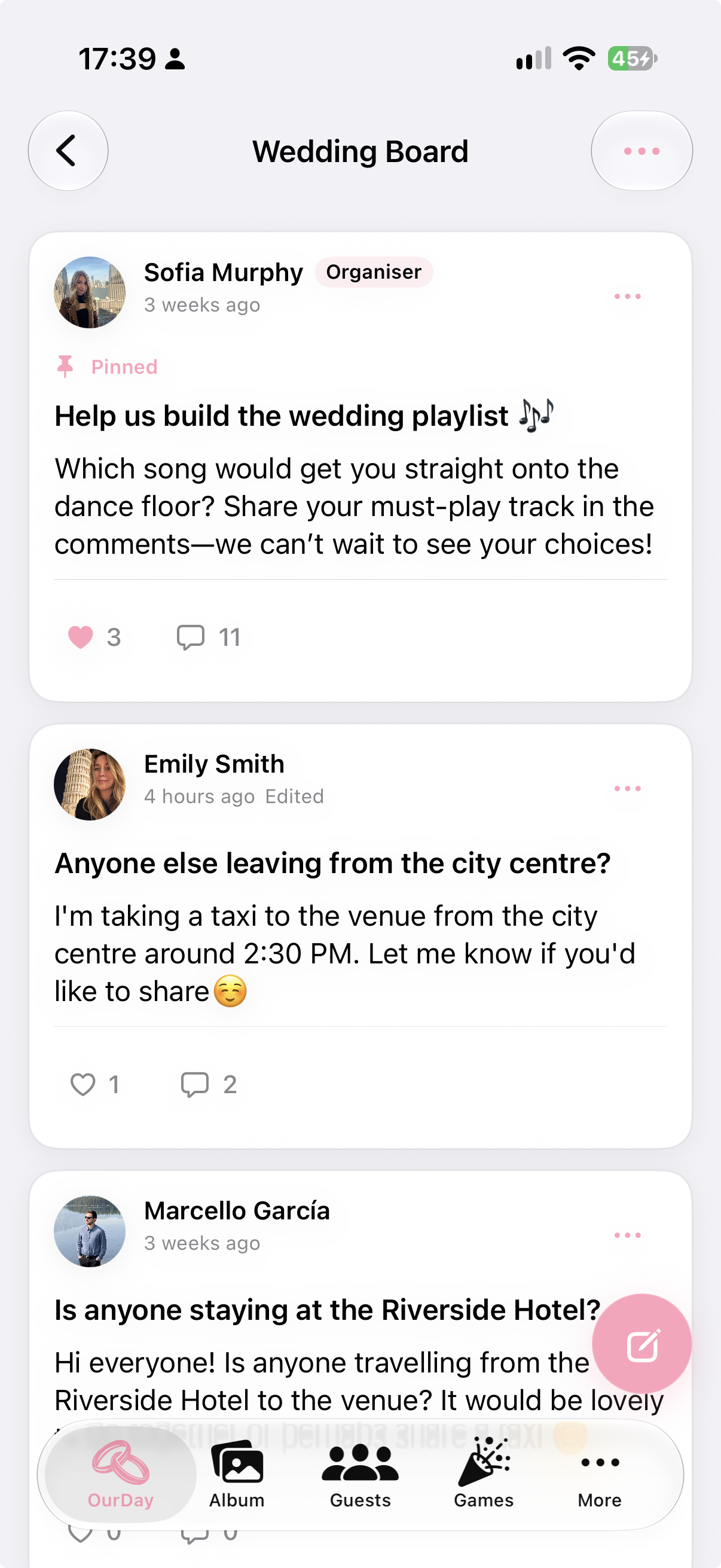
Fewer repeated questions. Less organising for you.
Answer questions once
When someone asks about parking or transport, your reply can help everyone with the same question. Other guests can check the answer without messaging you separately.
Let guests make plans
Guests can arrange breakfast, meet before the ceremony or find someone to travel with, without asking you to coordinate every detail.
Get everyone involved
Ask for song suggestions or invite guests to introduce themselves. Give them an easy way to take part before they arrive.
WEDDING BOARD IN ACTION

2 comments
-
Emma Walsh
Perfect, thank you!
10 minutes ago

WEDDING BOARD IN ACTION
Anyone up for breakfast at the hotel tomorrow?
2 comments
-
Marcello García
There are two of us! Shall we meet at 9?
12 minutes ago
-
Emma Walsh
Perfect—see you in the lobby!
10 minutes ago

WEDDING BOARD IN ACTION
Help us build the wedding playlist 🎶
Which song would get you straight onto the dance floor?
2 comments
-
Emma Walsh
Dancing Queen, please!
12 minutes ago
-
Marcello García
That will definitely get me dancing!
10 minutes ago
You stay in control.
- Pin one important post
- Keep essential information at the top.
- Choose who can post
- Allow guest posts or reserve posting for the couple and admins. Guests can still comment where comments are enabled.
- Easy to find
- Guests open Wedding Board from the app’s home screen, alongside the schedule and locations.
Included with Premium
For your whole wedding.
Wedding Board is included with Premium for your whole wedding. Guests can join the conversation without paying.
Premium is a one-time purchase in the app. Start your wedding for free, then upgrade when you are ready.
Wedding Board questions
What to know before you open the Board
Is Wedding Board included with Free?
No. Wedding Board is included with Premium, a one-time purchase for the whole wedding. Guests participate for free.
Who can see posts and comments?
Only people who have joined your wedding in JoinOurDay can see its posts and comments. Your Board is private to your wedding.
Can we stop guests from creating posts?
Yes. Turn off guest posting in Board settings to reserve new posts for the couple and admins. Guests can still reply to posts where comments are enabled; commenting is controlled separately.
Do guests receive notifications?
New posts can trigger a notification for other people in the wedding. Notifications do not include the post text; delivery depends on notification permissions and device settings.
How is it different from a group chat?
Each post has its own replies, so questions and arrangements stay together. One pinned post keeps essential information at the top.
Can guests share photos or videos?
Photographs, videos and voice notes belong in the shared album. Wedding Board keeps text posts, questions and replies together.
What if someone posts something inappropriate?
Report inappropriate posts, comments or guests from the relevant menu. Reports go to the JoinOurDay moderation team. Blocking a guest hides their Board posts and comments.
INCLUDED WITH PREMIUM
Let guests make plans together.
Start your wedding for free and unlock Wedding Board with Premium. Guests can join the conversation at no cost.
Yes! Use the car park beside the main entrance.
12 minutes ago